


Expedia: Hotels, Flights, Cars
4.892.21K Reviews
App Specs
- Version
- 2026.42.0
- Updated On
- License
- Free
- Downloads
- 50,000,000+
- Developer
- Expedia
- Categories
- Travel & Local
- Platform
- Android, iOS
Screenshots



 Analysis by AppCompare
When I’m trying to turn a rough travel idea into an actual itinerary, I want to compare the main pieces without starting from scratch in several places. That is the problem Expedia: Hotels, Flights, Cars is built to handle: it brings hotel, flight, car rental, and package planning into one travel app. I find that most useful when I know roughly where I’m going but still need to work out how to get there and where to stay.
Start with the trip you actually need
My first step is to decide what is fixed and what can move. If the dates and destination are settled, I can begin with a flight or hotel search and use the other parts of the trip to fill in the gaps. If I’m flexible, I treat the first results as a way to compare possibilities rather than as a recommendation I should accept immediately. That distinction matters: a prominent deal is only helpful if its timing, location, and terms fit the trip I have in mind.
For a short visit, I might search for a place to stay first, then check whether the travel dates and arrival plan still make sense. For a longer holiday, comparing a flight, accommodation, and car rental together can make it easier to see the whole outline before I commit. The app is free, and Expedia is the developer; it sits in the travel and local category rather than trying to be a general-purpose itinerary or mapping tool.
Build the plan in a sensible order
I would start with the part of the trip least likely to change. Once that choice is made, I’d search the other components and compare the details that affect the total experience, not just the first price shown. A hotel that looks inexpensive may be less useful if its location adds a long transfer, while a rental car may not be worth arranging for a stay where I can get around without one. The practical win is being able to think across those choices in one place.
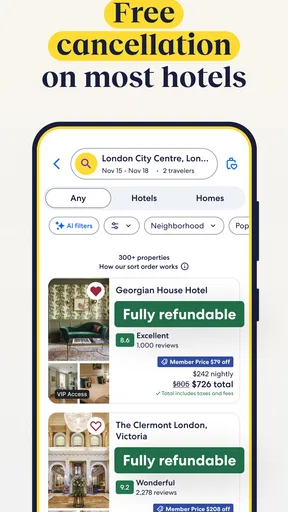
When I’m comparing stays, I use filters to narrow the field, then read the listing details rather than treating a rating or a low price as the whole story. Amenities and guest feedback can help identify a better fit, but they don’t replace checking the location and conditions that matter to me. I also like saving a few candidates before deciding. That creates a small shortlist I can revisit, instead of making a rushed choice because I’m worried I’ll lose a result.
Keep decisions and handoffs clear
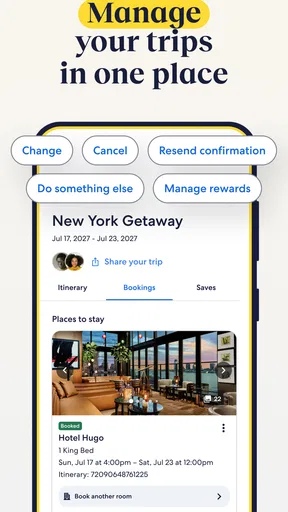
Travel planning rarely ends when a booking is made. The useful test is whether I can get back to the relevant confirmation or update when I need it, without digging through a crowded inbox while standing in a station or airport. Expedia brings bookings and travel information into the same app experience, which can reduce the number of places I need to check. I still treat the confirmation details as important: before leaving, I would review them and make sure the dates, names, and arrangements match my plans.
That becomes especially useful when the trip has several moving parts. Imagine I’m arranging a weekend away after work: I compare flight options, choose a hotel that suits the arrival time, and then decide whether a car is genuinely needed. If plans shift, having the travel pieces gathered in one place gives me a clearer starting point for checking what I booked. It does not remove the need to understand each reservation’s terms, so I would look at those before paying rather than assuming every booking can be changed in the same way.
Worth Reading Before You Choose

Flipboard Shows What News Apps Must Do Beyond the Feed

Switching to Android Auto Means Rethinking Your Driving Routine

Google Calendar Makes a Crowded Week Easier to Manage

Ludo King Makes the Most of the Minutes Between Plans

Baby Panda World Brings Quick Play to Modern Phones, but Its Game Library Feels Busy

ESPN’s Live Game View Makes Following Close Games Easier
Where convenience has limits
Expedia is most appealing when I want one place to explore more than one part of a trip. It is less compelling if I already know exactly which airline or hotel I want and prefer to handle everything directly with that provider. A specialist comparison site may also suit someone who wants to examine one category in much greater depth. I see Expedia as a practical organizer and comparison starting point, not a reason to stop checking whether a particular option is right for me.
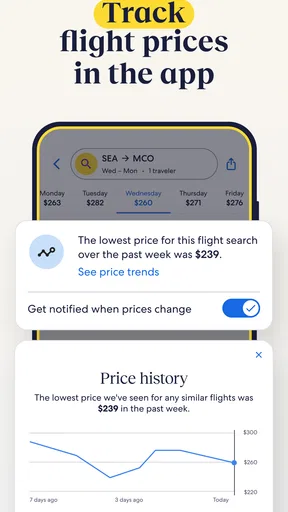
Deals deserve the same careful look as ordinary results. I compare what is included, where the property is, and whether the option makes sense for my schedule; a discount alone doesn’t tell me the full value. I’d also avoid building a plan around notifications. They can be handy prompts, but I prefer to search when I’m ready, verify the details, and keep my own shortlist so a passing alert does not pressure me into a decision.
Exploring the Interface
First things first, the Expedia: Hotels, Flights, Cars app has an incredibly intuitive interface. You open it up, and everything just makes sense. The layout is clean, with tabs for hotels, flights, and car rentals all neatly organized at the bottom. Navigating through different sections is a breeze and doesn’t require a manual to figure out.
Booking Made Easy
Booking a trip can sometimes feel like solving a complex puzzle, but not with Expedia. Whether you’re looking for the perfect hotel or the best flight deals, it’s all there. The search options are incredibly detailed, allowing you to filter results based on price, amenities, and even guest ratings. I found a sweet deal on a hotel in Miami, and the booking process was as simple as clicking a few buttons.
Deals and Discounts
Who doesn’t love a good deal? The app frequently offers discounts and special packages that can make your trip more affordable. I was pleasantly surprised by the number of exclusive deals available just for booking through the app. Keep an eye out for those notifications; they can save you a chunk of change!
Real-Time Updates
Another feature that stood out to me was the real-time updates. Whether it’s a flight delay or a hotel confirmation, the app keeps you informed every step of the way. It’s like having a personal assistant whispering updates in your ear without the hassle of constantly checking your email.
User-Friendly Experience
I also appreciated the little touches that make the app user-friendly. For example, the ability to save your favorite hotels or flights for easy access later. Plus, the app remembers your preferences, making future bookings even quicker. It’s those small details that make the difference.
Who will get the most from it
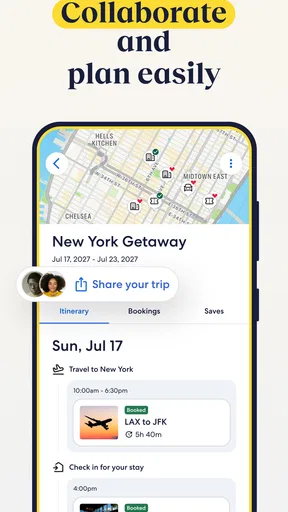
I’d recommend it to a traveler who wants to keep flight, hotel, and car research together, especially when the itinerary is still taking shape. It can also help when one person is coordinating a trip for a family or a couple: saved options give you something concrete to compare and discuss before anyone commits. For a quick overnight stop, the same approach can prevent choosing a room that is cheap but awkward for the actual arrival or departure plan.
On the other hand, I wouldn’t choose it as my only planning tool if my trip depends on detailed local navigation, restaurant discovery, or a highly specialized travel service. It is focused on arranging the major travel components. I would use a map app for route decisions and check directly with a provider when a particular policy or unusual request is central to the booking.
Small habits that prevent booking regret
A useful habit is to compare a few viable options rather than endlessly scrolling. I save the strongest candidates, then check the trade-offs side by side: location, included amenities, schedule fit, and the conditions attached to the reservation. This keeps a low headline price from dominating the decision. It also makes it easier to explain a choice to whoever is traveling with me, because I can compare practical reasons instead of relying on a vague sense that one result “looks better.”
For flights and stays, I would confirm the passenger and guest details before finishing a booking, then revisit the confirmation afterward. If a trip includes a car, I’d think through when I need it, not simply add it because it appears beside the other travel options. Picking up a car for the entire stay can be unnecessary if I only need it for one part of the itinerary. Those checks take a little extra attention, but they are more valuable than chasing every alert or discount.
What to expect from the app over time
Expedia has been available since May 10, 2011, and its current version is 2025.50.0. It has a 4.8 average from around 1.4 million ratings, with about 87,000 written reviews and over 50 million installs. It is free to download and rated for everyone, though the travel bookings themselves are separate decisions that deserve the same careful reading as any reservation. The minimum operating system is version 10, so I’d check that my device meets that requirement before planning around the app.
Those figures suggest that it is a familiar option for many travelers, but popularity doesn’t guarantee that every result will suit a particular trip. I would still compare the final details with the needs of my own itinerary. The app’s strongest case is convenience across categories; its weaker case is when I need a single provider’s most direct support or want to focus on a niche travel need.
My overall take
Overall, the Expedia: Hotels, Flights, Cars app has turned out to be a game-changer for me. Whether you’re a frequent traveler or just planning a one-off trip, it’s a tool worth having. The convenience it offers is unparalleled, and it’s like having a travel superhero right on your phone. If you’re looking to simplify your travel plans, give this app a shot. You won’t regret it!
Pros
- User-friendly interface with intuitive navigation.
- Comprehensive booking options for hotels
- flights
- and cars.
- Competitive pricing with frequent discounts.
- Personalized travel recommendations and itineraries.
- 24/7 customer support available via chat and phone.
Cons
- Occasional app crashes during peak usage.
- Limited features available offline.
- Some users report slow refund processing.
- Discounts may require membership or booking bundles.
- In-app ads can be intrusive at times.
FAQs for Expedia: Hotels, Flights, Cars
What features does the Expedia app offer for travelers?
The Expedia app provides a comprehensive platform for travelers to book hotels, flights, and car rentals. Users can access exclusive mobile deals, track itineraries, and receive real-time travel alerts. Additionally, the app offers suggestions for activities and attractions at your destination, making it a complete travel companion.
Is it safe to book flights and hotels through the Expedia app?
Yes, the Expedia app is designed with user security in mind. It utilizes secure payment gateways and encryption to protect your personal and financial information. Additionally, Expedia is a well-established brand with a reputation for reliability in travel bookings, providing a trustworthy platform for users.
How does the Expedia app compare to its desktop version?
The Expedia app offers similar functionalities to its desktop counterpart but with added convenience for mobile users. You can easily manage bookings on the go, access exclusive mobile-only discounts, and receive timely notifications. The app’s user-friendly interface is designed to enhance mobile navigation, ensuring a seamless experience.
Can I earn and redeem Expedia Rewards points through the app?
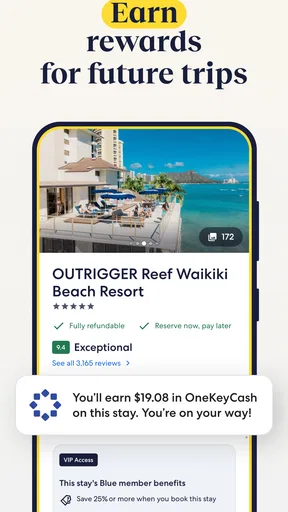
Absolutely! The Expedia app allows you to earn Expedia Rewards points on eligible bookings, just like on the desktop version. You can also redeem these points for discounts on future travel bookings. The app provides an easy way to track your rewards and maximize your savings.
What should I do if I encounter issues while using the Expedia app?
If you experience any issues with the Expedia app, you can contact their customer support directly through the app. There’s a dedicated help section with FAQs and contact options. Additionally, you can visit their website for more detailed assistance or reach out via their social media channels for quick responses.


